Tuesday, July 12, 2016

The Best Linux Distributions for Beginners

Are you thinking of switching for Windows or Mac to Linux but you don't know which Linux distribution to install?
Here are the 3 of the best Linux distros for new Linux users.

1.Ubuntu


Currently the most popular Linux distribution, that comes with all the essential applications for everyday use, like an office suite, browsers and media apps.You can also run it on your phone or tablet.

Website: http://www.ubuntu.com

2.PinguyOS


PinguyOS is a distribution that is based on the Ubuntu Framework.It is designed to be very simple to use and to look good.It's perfect for new Linux users as it has many Windows and Mac features along with some new ones that aren’t available in either Windows or Mac.

Website: http://www.pinguyos.com/


3.Elementary OS


Elementary OS is another popular Linux distro among new Linux users.It's fast, it's beautifully designed and it's lightweight meaning you can install it even to your old PC.It also comes with many common applications pre-installed.

Monday, July 11, 2016

The best headphones for cat/dog owners

It is true that our beloved pets really like chewing cables. If you are tired of buying new headphones over and over again, only to find them busted a few days later, we have the solution for you.

You should try Wraps - Wristband Headphones
 

As a cat owner my self, these are the only ones I have managed to keep intact for a year.

Why should you buy them? 

Cables are wrapped with either Leather, Thick Cotton or Wood. All of these materials will not only make it really difficult for your pet to destroy them, but they will prevent your headphones from getting tangled.

You can also wrap the cable around your wrist, so it is easier to keep them less vulnerable to an attack from your cute companion.

Furthermore, for the first time, my cat seems not to be really interested in a pair of headphones. It might be that pets prefer thin cables, that are easier for them to chew.


In general the sound quality is satisfying, they are affordable and can take some hits from you cat or dog and keep working.

You can find more information about the product as well as the Official Store of Wraps here.

Friday, July 8, 2016

How to download ANY video from ANY site

Have you ever wanted to save a cool YouTube or Facebook video to your PC? Do you wish to download a video from a not so popular site and you haven't find a fast solution?
The method we will present is the easiest and fastest way to do it.

You just need to have Firefox or Google Chrome installed to your computer. Then:
  1. If you prefer Firefox, install this add-on (official Firefox add-on store). If Google Chrome is your favorite browser, just install this add-on (official Google Chrome add-on store)
  2.  Open the page which contains the video you wish to download, using any of the above browsers.
  3. Click the add-on icon in the top-right of your browser window.

   
    4. Find the video you wish to save, in the list that will appear, and click on the plus icon next to it.
    5. Click on the first option - the Download button.
    6. Hit Save in the pop-up window and you are done!

So simply - so fast!
  

How to install Google Chrome and Chromium on Linux Ubuntu

Google Chome is one of the most popular web browsers right now.Unfortunately installing it on Linux can be tricky.So, here is a guide on how to properly install Google Chrome 50 and Chromium (Chrome's open-source alternative) on Ubuntu (and Ubuntu based systems like Lubuntu, etc) and Linux Mint.

 The first thing we need to do in order to install Chrome is to add in our system the Google Chrome repository.
So we open up Terminal and type in the following commands: 


$ wget -q -O - https://dl-ssl.google.com/linux/linux_signing_key.pub | sudo apt-key add - 

$ sudo sh -c 'echo "deb http://dl.google.com/linux/chrome/deb/ stable main" >> /etc/apt/sources.list.d/google.list' 

Then we type in the following commands to install/upgrade Chrome: 

$ sudo apt-get update
$ sudo apt-get install google-chrome-stable

And that's it.Now let's see how we can install Chromium, the open-source version of Chrome.Its pretty straightforward, the only thing we have to do is type in the following command:

$ sudo apt-get install chromium-browser

The Best Linux Distros for your old PC

We all have an old PC or Laptop, laying around, that we don't use anymore.With these 3 Linux distros which are designed specifically for old computers you can bring your old PC back to life!

1. Lubuntu

One of the most famous Linux distributions for old computers.It's based on Ubuntu and is officially supported by Ubuntu community so you have access to all Ubuntu compatible software as well as to all Ubuntu related support forums.

Current Version: Lubuntu 16.04 LTS

System Requirements: 
512 MB of RAM (1 GB recommended)
Pentium 4, Pentium M, AMD K8 or newer CPU

Website: http://lubuntu.net/


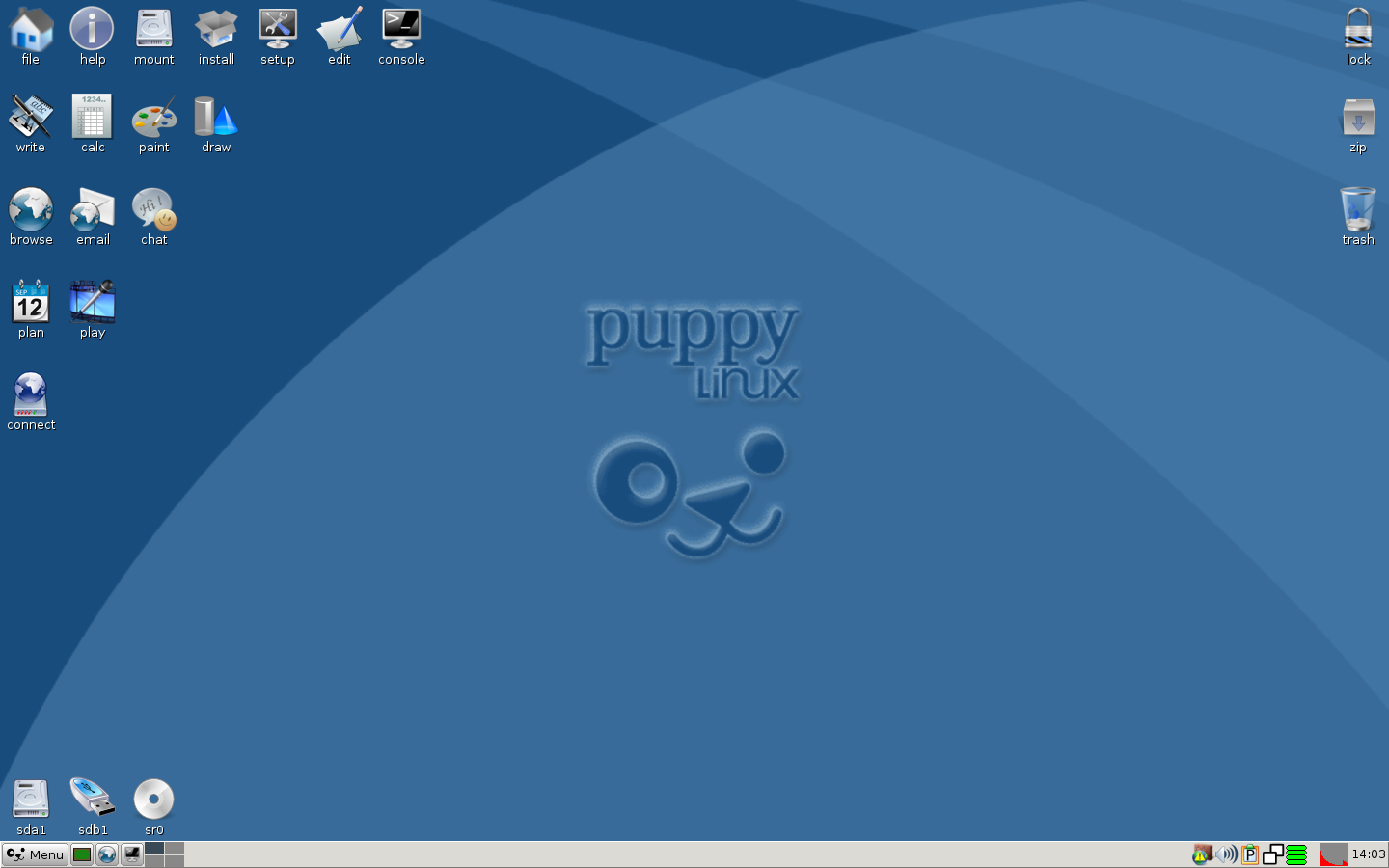
2. Puppy Linux

This Linux distribution loads itself into RAM on boot-up and so it's incredibly fast even on very old computers.The total size of the distribution is only 100MB!

Newest Version: Slacko Puppy 6.3

System Requirements: Depends on the release.(128 - 256 MB of RAM).

Website: http://puppylinux.org


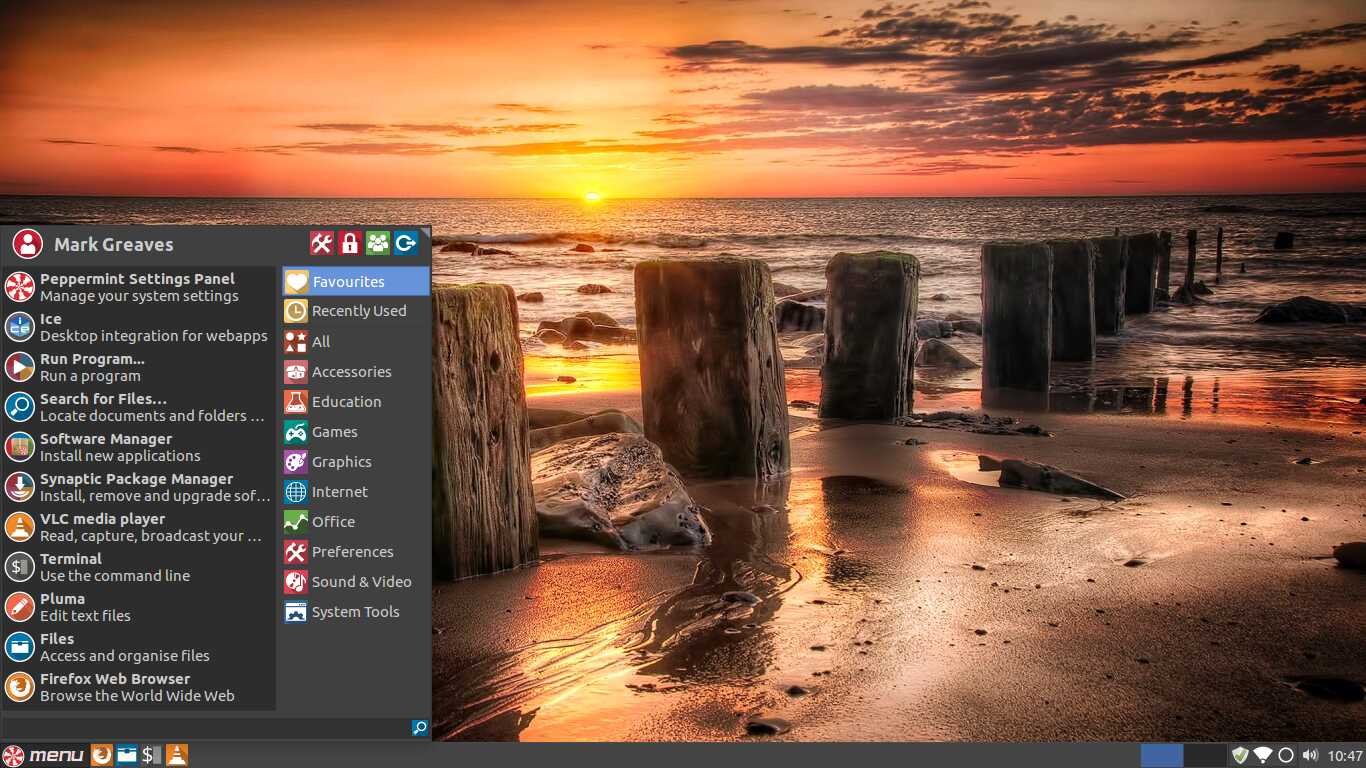
3. Peppermint OS

Peppermint Linux is based on Lubuntu but it's designed as a web-centric operating system with many cloud computing features.

Newest Version: Peppermint 7

System Requirements: 512 MB of RAM, Processor based on Intel x86 architecture(Minimum).


Website: https://peppermintos.com


Thursday, July 7, 2016

Best FREE Apps for Windows Phones

It's true that many mainstream apps (like Google Chrome, Instagram, Snapchat etc.) are not included in Windows Phone App Store. That does not mean that there are not many really good apps and a few alternatives for famous apps.

These are the apps that you absolutely should have installed on your Windows Phone:


UC Browser:

This Browser has everything you need. It is fast, safe and reliable. It offers incognito mode, night mode, bookmarks and all the features you would ask for.

You can download it from here.


Dropbox: 

Dropbox is the best way to keep a back-up of your files and have all your data accessible from all your devices (PC, Laptop, Tablet etc.)
You can download it from here.

Tube HD - Best Client for Youtube:

 Windows Phones do not have an official YouTube app. Although, this is a very good alternative, which also offers some extra cool features. You can download  videos or save in an MP3 format the sound of the video. You can also lock your screen and continue listening to the sound of the video!

You can download it from here.

gMaps:

This is the best way to use your Windows Phone as a GPS Navigator. It is easy to use and very reliable. Unfortunately, it does not offer voice navigation, but this is not a problem. You can find the place you want to go with gMaps, and simply choose HERE Maps (Windows Phone pre-installed navigator) to navigate you there.

You can download it from here.

Viber: 

The famous Viber App, is the best free way to chat, video call, or simply phone to anyone is on Viber.
Just download the app, follow the easy steps and in a few seconds you are ready to go!


You can download it from here.

Wednesday, July 6, 2016

Best FREE applications to install on your new Windows PC

You bought a new Windows PC and you don't know what you need to install first?
Here are the best programs you should definitely have:

Google Chrome:

The pre-intalled web browser that Windows comes with is generally considered a bad choice. So, you definitely need to upgrade to Google Chrome, one of the fastest and safest web browsers.

 You can download it from here.


 VLC:

One of the best media player out there. It can literally play any video or music file you got. It can even display your images.
 

 You can download it from here.

 Skype:

 One of the most popular apps for windows that allows you to voice or video chat with your friends for free. You can also call landlines for a relatively low cost.


You can download it from here.

 CCleaner:

 A very useful app that will help you keep your computer clean, safe and fast. It can even auto-detect files your don't really need and automatically delete them for you.


You can download it from here.